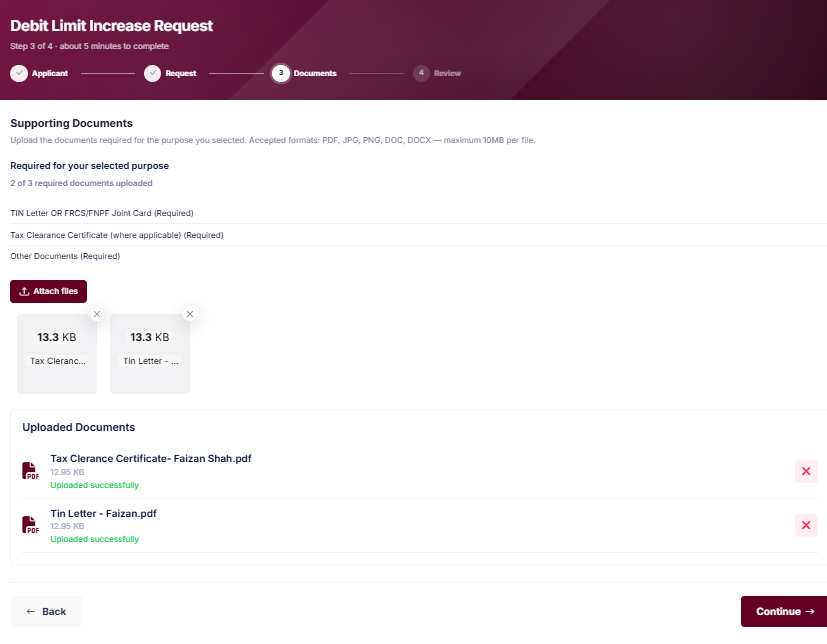
Files can be PDF, JPG, PNG, DOC or DOCX, up to 10 MB each.
Which documents are required for my purpose?
It depends on the purpose you choose in Step 2. Step 3 then lists exactly what is required for that purpose and counts your uploads, for example “0 of 3 required documents uploaded”.
Typical documents requested for a Business Expenses purpose include:
TIN Letter OR FRCS/FNPF Joint Card.
Tax Clearance Certificate, where applicable.
Invoice or other documentary evidence supporting the request.
User Guide · Figure 6: Supporting Documents after upload
What is a TIN, and what if I don't have one?
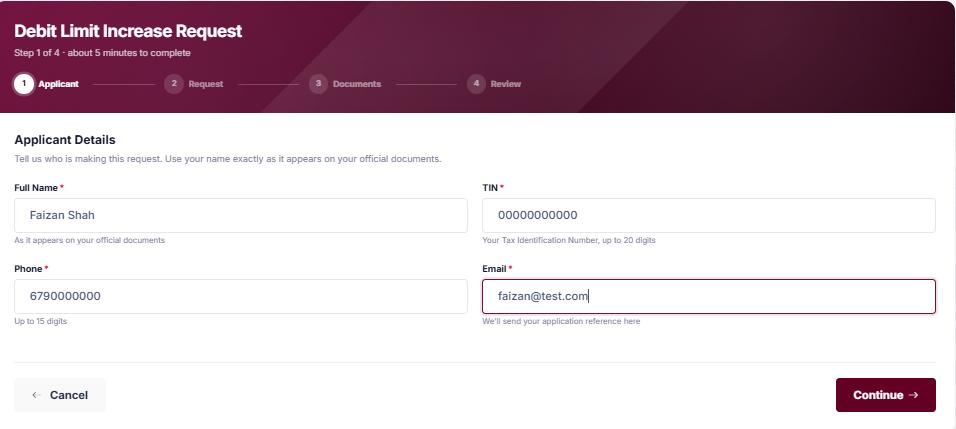
TIN stands for Tax Identification Number. It is issued by the Fiji Revenue and Customs Service (FRCS) and appears on your TIN Letter and your FRCS/FNPF Joint Card.
A TIN is required to apply, and you will need it again, together with your reference number, to check your status. If you don't have one, please register with FRCS before starting your application.
User Guide · Figure 3: where you enter your TIN
Do I need to complete the application in one sitting?
It is recommended that you have all your details and documents ready before you begin, as the guided steps must be completed in sequence to reach Review & Submit.
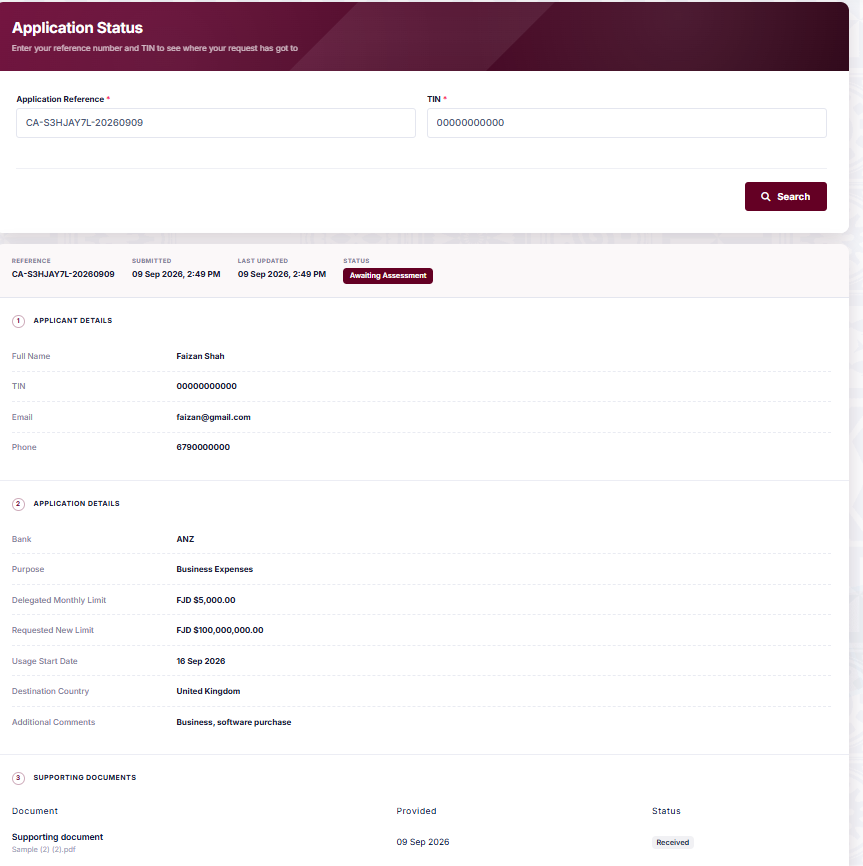
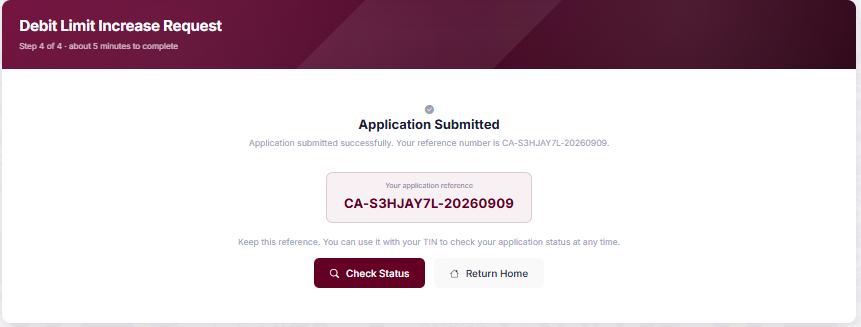
After submission, your application status will show as “Awaiting Assessment”. You can check for updates at any time using the Check Status page with your reference number and TIN.
We will also email you when a decision is made or if we need anything further.
RBF has asked me for more information. How do I respond?
Open Check Status and search with your reference number and TIN. The items that need your attention are highlighted on the page; everything else is shown as we hold it and cannot be changed.
Answer each highlighted item, upload any document requested, then choose Submit my response at the bottom of the page. We will continue assessing your application once we receive your response.
My application was approved. What happens next, and how long is the approval valid?
Your approval letter is emailed to you, and you can download it again at any time from Check Status.
The letter states the dates your approval is valid from and until. These are set for your application, so please rely on the dates in your own letter.
Can I change my application after submitting it?
Once submitted, an application cannot be edited. If you need to make a change, please contact the Reserve Bank of Fiji, quoting your application reference number.
No problem. Our Exchange Control team can help by email during normal business hours. Please include your application reference number and TIN if you have them.